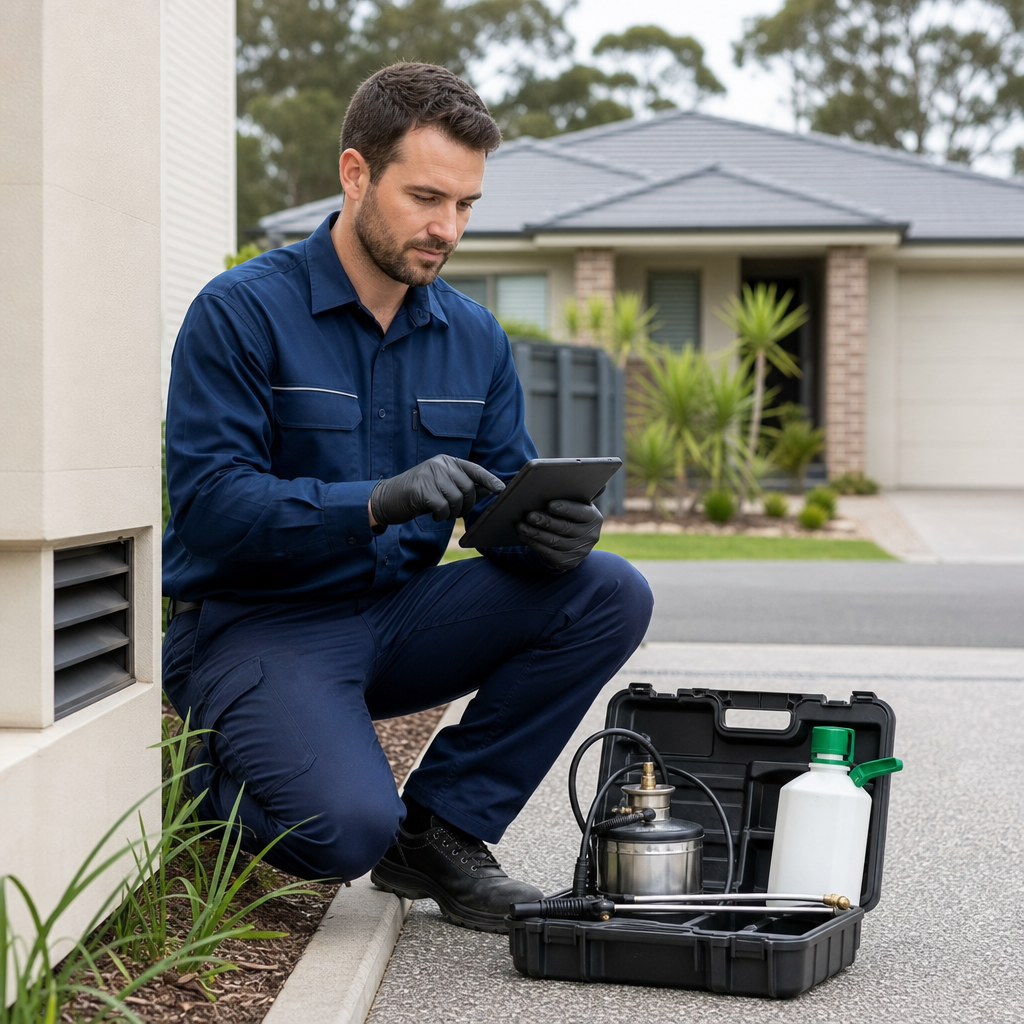
A pest control business can complete several jobs in a day, often across residential properties, rental homes, commercial premises and body corporate sites. Each visit may involve different conditions, treatment areas, customer instructions and follow-up recommendations.
The operational challenge is not usually the treatment itself. It is keeping the paperwork accurate and accessible after the technician leaves.
Many small pest control businesses still manage this process through a mixture of paper forms, phone calls, text messages, email and shared folders. A technician may write notes in a vehicle, take photos on a personal phone and later send a message to the office. Someone in administration then turns those details into an invoice, service report or customer email.
That process can work when the team is small and the schedule is quiet. It becomes harder when jobs increase, technicians work independently or customers ask for records several weeks after the visit.
The current process
A typical workflow may look like this:
- The office books a treatment and records the customer’s details in a spreadsheet or calendar.
- The technician receives the address and job instructions by text message or email.
- At the property, the technician records treatment areas, observations and products used on paper or in phone notes.
- Photos are taken separately from the job information.
- After the visit, the technician sends notes and images to the office.
- An administrator prepares a report, updates the job record and follows up any recommendation manually.
- The customer receives the final documentation, sometimes days after the service.
There are several points where information can be incomplete or delayed. A photo may not be clearly linked to the correct property. A recommendation for a return visit may remain in an email inbox. A technician may forget to record a detail that seemed obvious at the time.
The result is additional administration and a less consistent customer experience.
A practical digital workflow
MDS could help build a simple field-service workflow around the tools the business already uses, rather than attempting to replace every existing system.
Before travelling to a job, the technician could open a mobile-friendly job page containing:
- customer and site details
- access instructions
- the service booked
- previous notes where appropriate
- hazards or special instructions
- required checklist items
At the property, the technician could complete a structured form on a phone or tablet. The form might include treatment areas, pest activity observed, access limitations, actions taken, recommendations and whether a follow-up visit is required.
Photos could be uploaded directly against the job rather than stored separately in the device’s camera roll. The technician could also add a short free-text note for information that does not fit neatly into the checklist.
Once the form is submitted, the workflow could:
- save the completed service record
- organise photos under the relevant job
- notify the office of any follow-up requirement
- generate a draft service report
- update the job status
- send a customer email after an internal review
- create a reminder for the next treatment or inspection
The office team would still retain control over exceptions and quality checks. The purpose is to reduce rekeying and make the next action visible, not to automate decisions that require professional judgement.
Suitable technology approach
For a small pest control company, the solution could be a responsive web application rather than a large field-service platform. Technicians would access it through a secure browser on their phones, avoiding the need to install and maintain a complex application.
The workflow could integrate with existing systems such as:
- an online booking calendar
- accounting or invoicing software
- cloud file storage
- website enquiry forms
- SMS or notification services
A lightweight administration screen could show jobs by status: scheduled, in progress, report pending, follow-up required or complete. Simple search and filtering would help staff find a customer’s service history without searching across multiple inboxes and folders.
If the business already has a scheduling or accounting product, the digital workflow could be designed to exchange only the information needed. For example, it might retrieve the customer name and job address, then return a completed service status or invoice reference. The right integration depends on the tools already in use.
Application support is also important. Forms, integrations and automated emails need monitoring, maintenance and occasional adjustment as the business changes its services or reporting requirements.
Expected operational benefits
A consistent field workflow can help a pest control business:
- reduce the time spent retyping technician notes
- make service reports more uniform
- keep photographs connected to the correct job
- identify follow-up work earlier
- give office staff clearer visibility of incomplete jobs
- respond more quickly to customer requests for records
- reduce dependence on individual technicians’ note-taking habits
These benefits come from improving the flow of information, not from adding unnecessary technology.
The workflow can also support clearer internal accountability. If a technician marks that a return visit is required, the office can see that requirement in a shared queue rather than relying on a message being noticed later.
When this approach makes sense
This type of solution may suit a pest control business when:
- technicians complete jobs away from the office
- reports and photos are currently handled through email or paper
- the office spends time chasing missing information
- follow-up treatments are easy to overlook
- customers regularly request service documentation
- the business has outgrown a basic calendar and spreadsheet process
It may not be the first priority for a very small operator completing only a few straightforward jobs each week. In that situation, a well-designed form and organised cloud storage may be enough. The right starting point is the workflow causing the most repeated effort or risk of missed action.
A useful first step is to map one job from booking through to report delivery. That makes it easier to separate essential information from optional fields and design a process technicians can complete quickly in the field.
Melbourne Digital Solutions can help Australian service businesses review an existing workflow and develop a practical digital solution around their current systems, with integrations, automation and ongoing support where they provide clear value.